
Accessible digital design elevates the user experience (UX), ensuring that websites and web applications are usable for all users regardless of their varied needs.
In the United Kingdom, websites used by the general public must be Web Content Accessibility Guidelines (WCAG) version 2.2 level AA compliant (The Public Sector Bodies (Websites and Mobile Applications) (No. 2) Accessibility Regulations 2018).
WCAG version 2.2 level AA contains a lot of content which I have simplified into a spreadsheet that summarises, for each criterion, what is required, how to test for compliance, and examples of common failure:
For level A compliance, there cannot be an instance of failure against any of the level A criteria.
For level AA compliance, there cannot be an instance of failure against any of the level A or level AA criteria.
Many automated accessibility testing resources are available online. WAVE (for Google Chrome) is free and is able to detect instances of missing "alt text" (image descriptors), low contrast text and missing form labels on both Windows and Mac devices.
These tools should, however, be used in addition to manual testing as they have their own limitations. For example, WAVE may report that images contain alt text, but these descriptors may not be accurate or relevant to their respective images.
If alt text is present but does not accurately describe its related image, then this is an instance of WCAG level AA failure. Conversely, WAVE would not detect this failure as alt text is merely present.
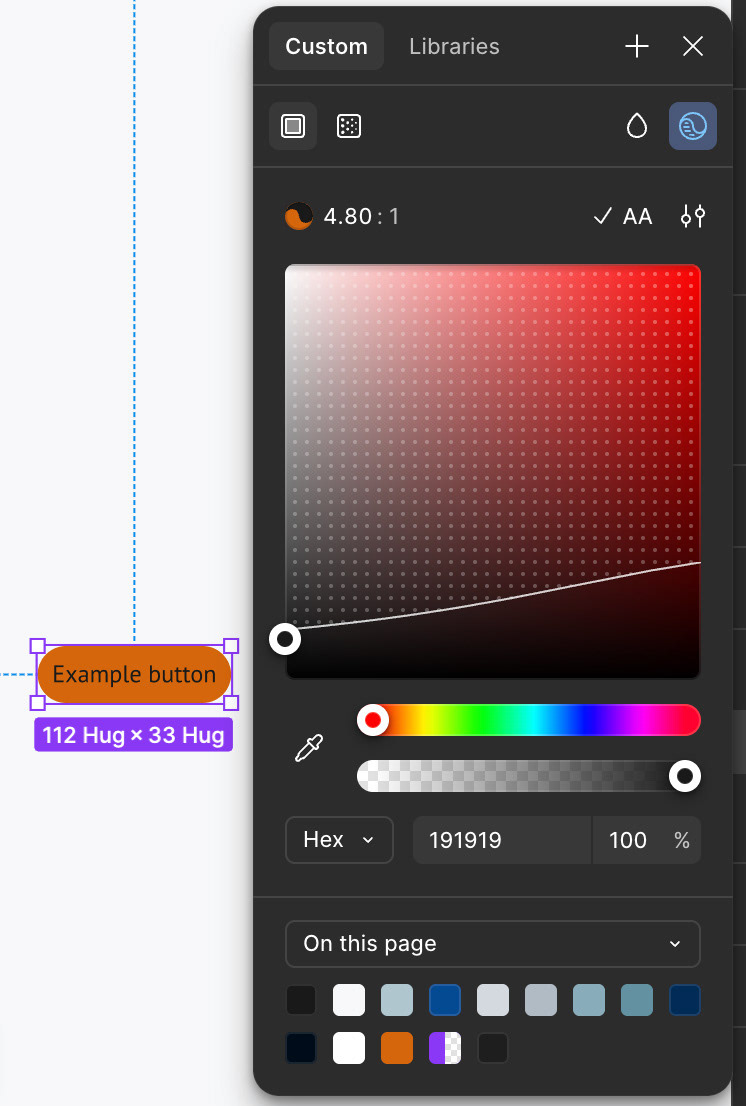
Compliant but difficult to read button
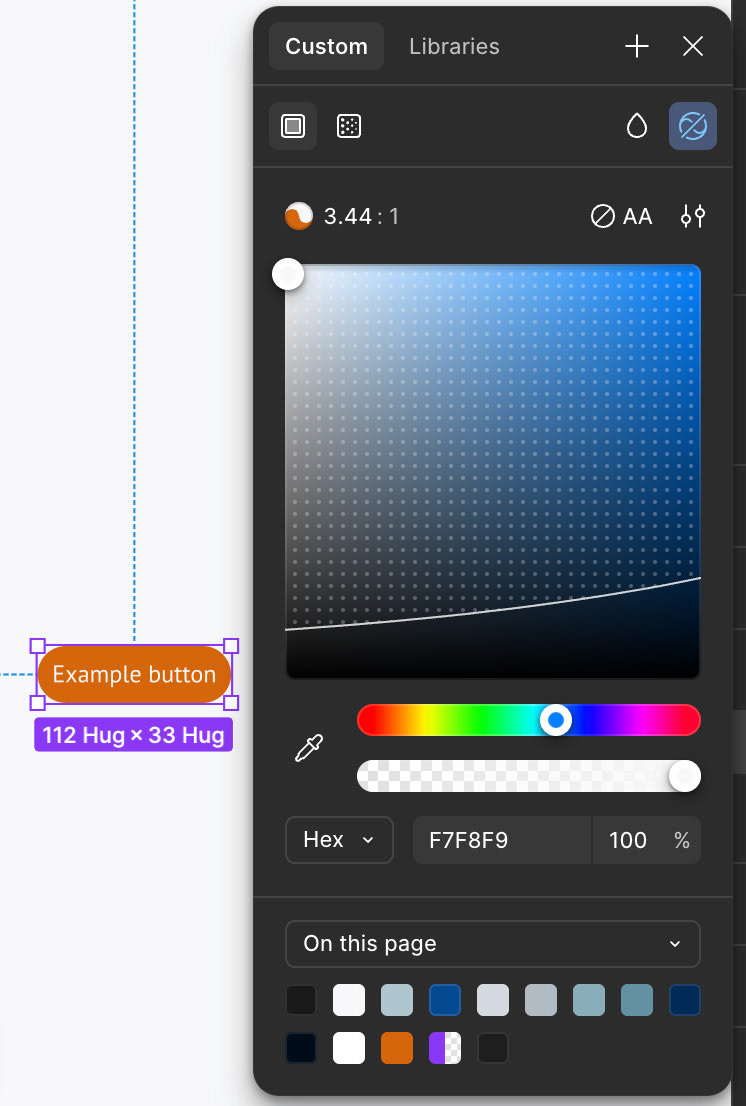
Non-compliant but easier to read button
Another limitation of automated testing concerns colour contrast compliance. WCAG version 2.2 level AA requires non-large text to yield a contrast ratio of at least 4.5:1 against its background colour.
Large text must yield a contrast ratio of at least 3:1 against its background colour. These contrast ratios ensure that colourblind users can discern page content as easily as non-colourblind users.
Figma, like WAVE, is able to detect the difference in foreground and background colour luminosity automatically, but sometimes text passes an automated contrast compliance text but remains unreadable.
A common example of a suboptimal yet "compliant" text to background combination is black on orange.
Users report visual strain when reading "compliant" black and orange components. Conversely, white on orange text is reportedly easier to read despite failing WCAG contrast requirements.
Therefore, automated accessibility tests should not only be used in addition to manual tests, but must also be supplemented by usability tests that determine how the web application "feels" beyond the boundaries of a binary, mathematical accessibility test.